V1.2.5 - UECopilot Changelog
V1.2.5
Release Date: 2026-06-24
V1.2.5 official release is now available! (UE5.8 and above)
Added UE5.8 official MCP Server invocation support to UECopilot's MCP toolset. With UECopilot, users can directly call tools provided by the UE5.8 official MCP Server within UECopilot, without needing to set up an additional server.
Enabling the Official MCP Server
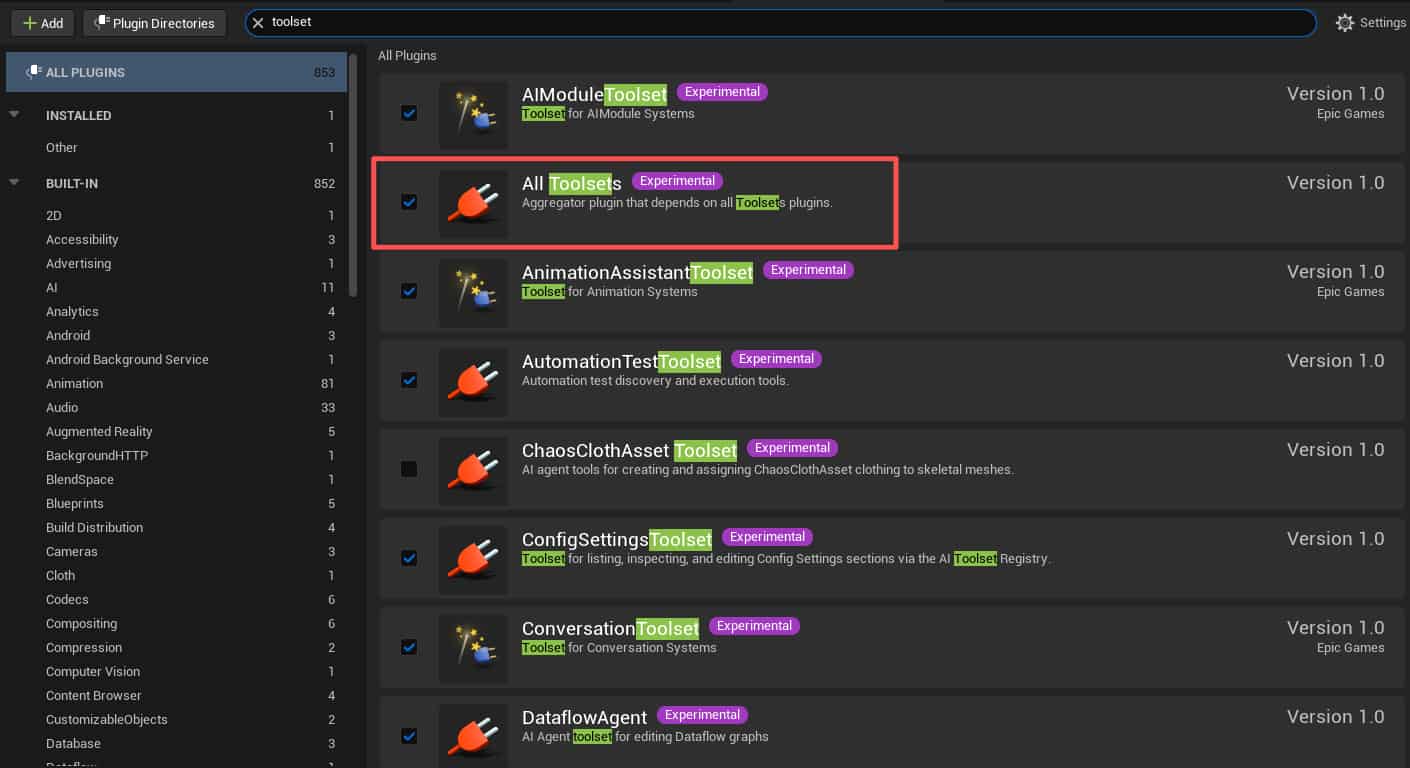
- Open the Plugins manager.
- Search for the keyword "Toolset". These are all MCP Server-related plugins (enable them based on your needs;
All Toolsetenables all MCP Server-related plugins).
- In Editor Settings -> General -> Model Context Protocol, check "Auto Start Server" and "Enable Tool Search".
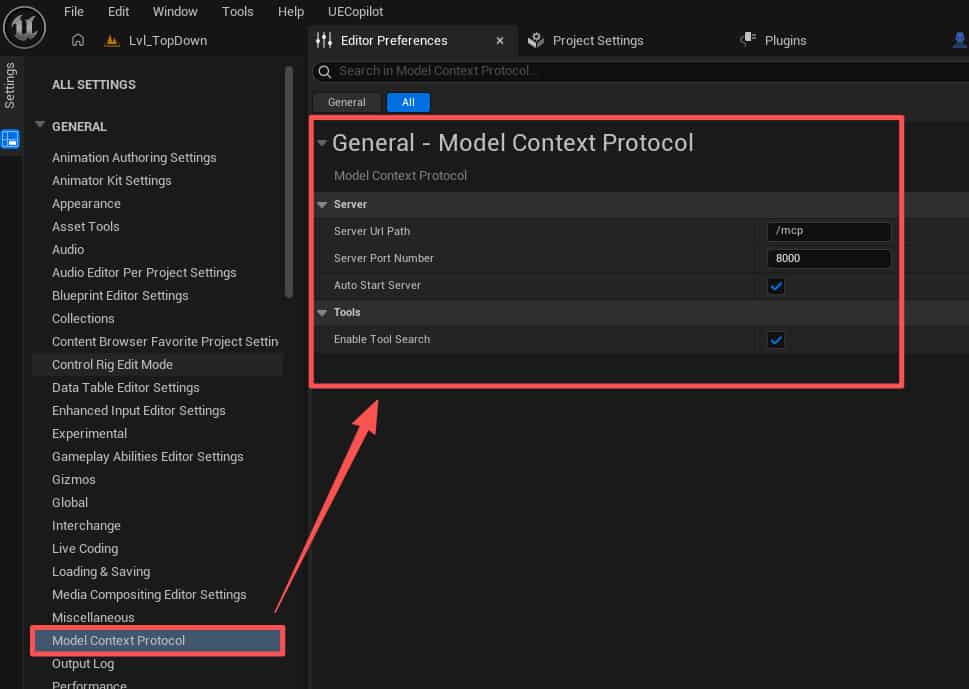
- Restart the UE5 editor for the settings to take effect.
How to Call Official MCP Server Tools in UECopilot?
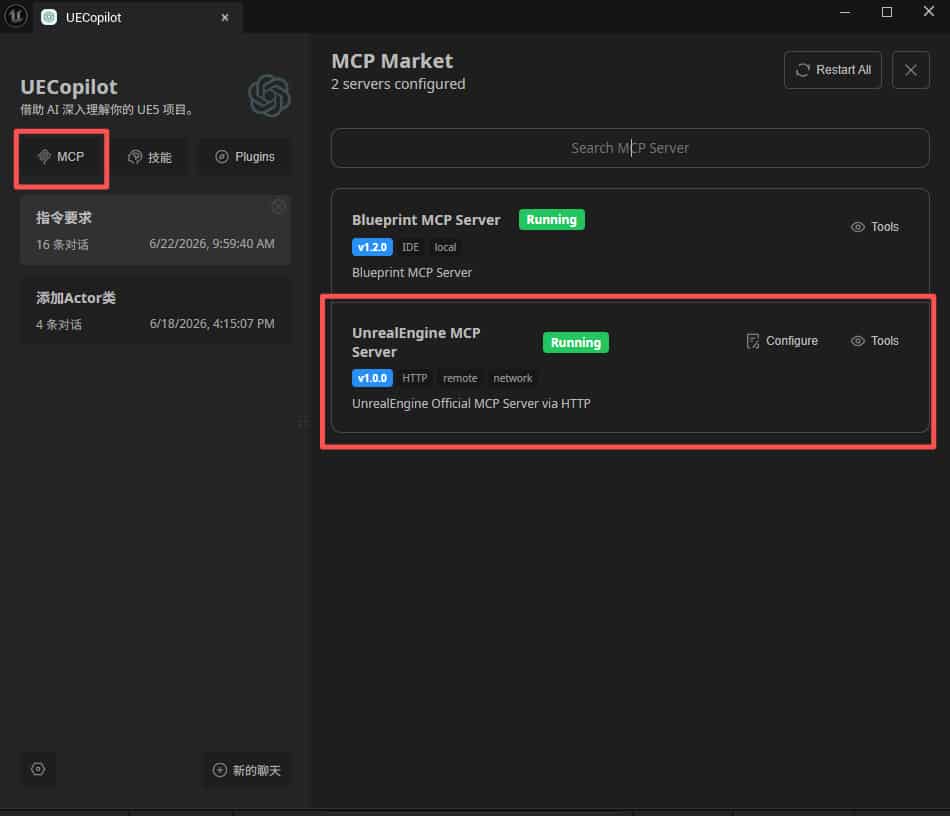
Open the UECopilot chat window and click the "MCP" button. You will see the tools provided by the official UnrealEngine MCP Server displayed with a Running status.
Disabling the UECopilot MCP Server
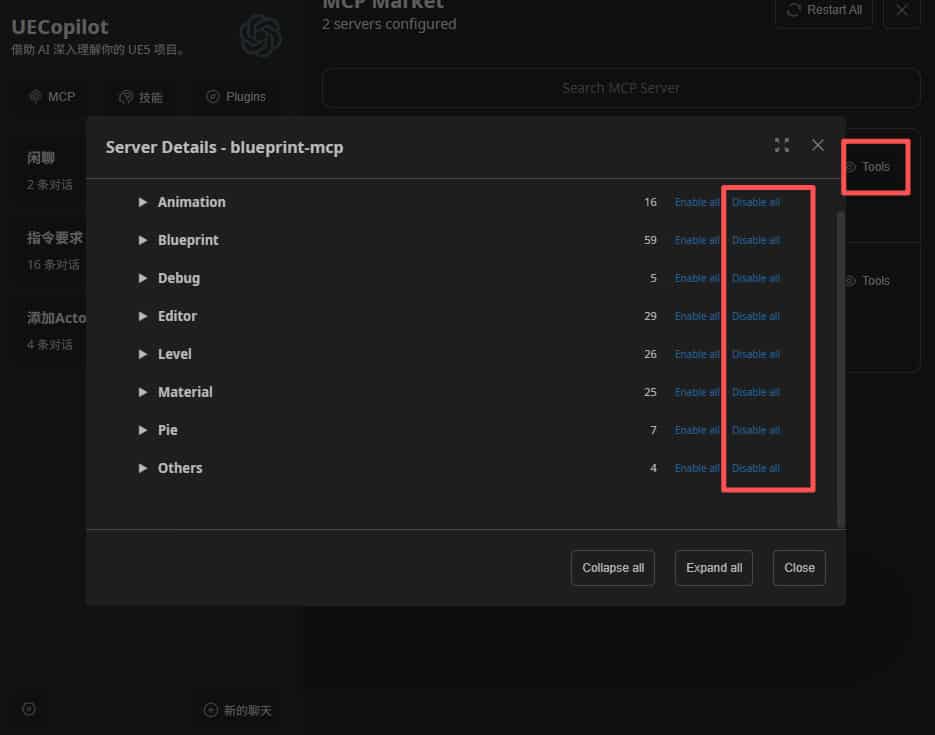
Since UECopilot MCP tools overlap with the official MCP Server's functionality, we recommend disabling the Blueprint MCP Server feature in UECopilot to improve efficiency and avoid conflicts.
Official MCP Server Toolset Overview
UECopilot V1.2.5 integrates the official MCP Server with 52 tool sets, categorized into 8 major domains:
1. Editor Core Tools
In a word: The core foundation of MCP, covering all basic editor operations.
2. Animation & Cinematics
In a word: Covers the full animation pipeline from Control Rig assets to Sequence.
3. Visual Effects & Procedural
In a word: Covers particles/VFX, procedural generation, materials/textures, and static meshes.
4. Game AI & Logic
In a word: Supports GAS, Behavior Tree, StateTree, and Conversation systems across multiple AI frameworks.
5. UI & Testing
In a word: UI design (UMG) + UI debugging (Slate) + automated testing, full coverage.
6. Data & Configuration
In a word: Structured data (tables/registries) + configuration + semantic search.
7. Plugins & Project Management
In a word: Plugin management + editor runtime state control.
8. Specialized Capability Tools
In a word: Physics, Dataflow, sandbox scripting, Agent skills, and other specialized capabilities.